Arrange the story
Build slides from editable text and image objects, then revisit the order and layout as the presentation takes shape.
 ProWebDevSolutionsDesign & development
Presentations
Build the story, one slide at a time.
SlideStrike is a presentation workspace for editable text, images, and speaker notes. Arrange a deck, keep the thinking behind each slide, and separate the working presentation from the pages you present or export.
Source preview
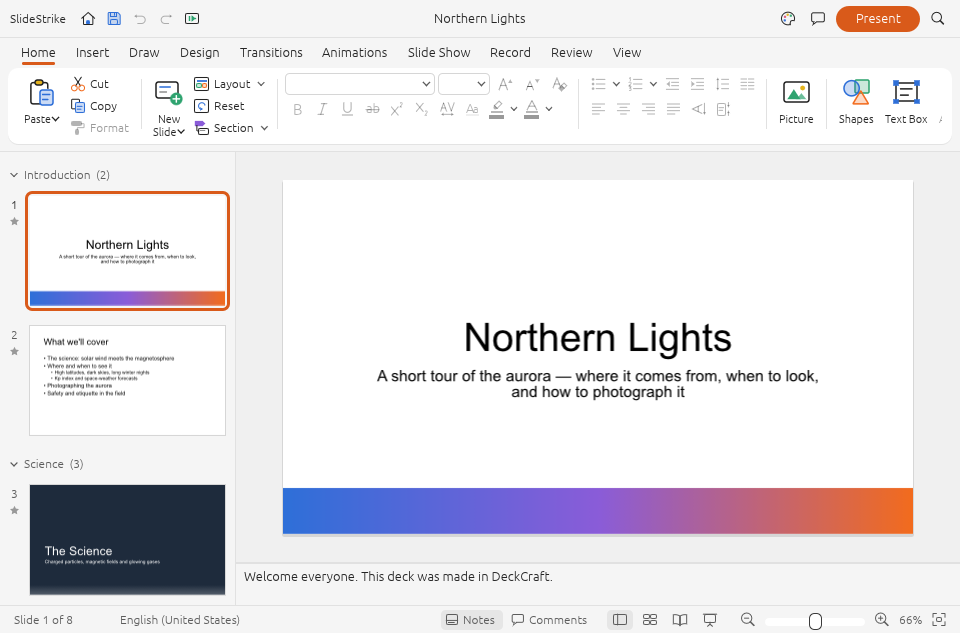
The Northern Lights sample deck, slide thumbnails and speaker notes.
View full image (opens in a new tab)SlideStrike is in development, with an original lightweight editor and a newer native foundation available as source. No installer is supplied; broader layout fidelity, presentation controls, accessibility, and PPTX compatibility still need review.

Edit spreadsheet cells, formulas and tables, then save XLSX workbooks or export CSV data.
Explore GridStrike
Create and revise structured documents with text, images and page layout in a Windows-first native editor.
Explore WordStrike
Reorder and rotate PDF pages, add review marks, fill supported fields, and export a separate PDF.
Explore PDFStrike