Get the sequence right
Move, rotate, or delete pages, with Undo and Redo to revisit an arrangement before exporting.
 ProWebDevSolutionsDesign & development
PDF editing
Put the pages in order. Keep the original.
PDFStrike keeps your working changes in an editable project and exports a separate PDF. Arrange pages, add supported review notes, and fill supported form fields while the original PDF remains unchanged.
Source preview
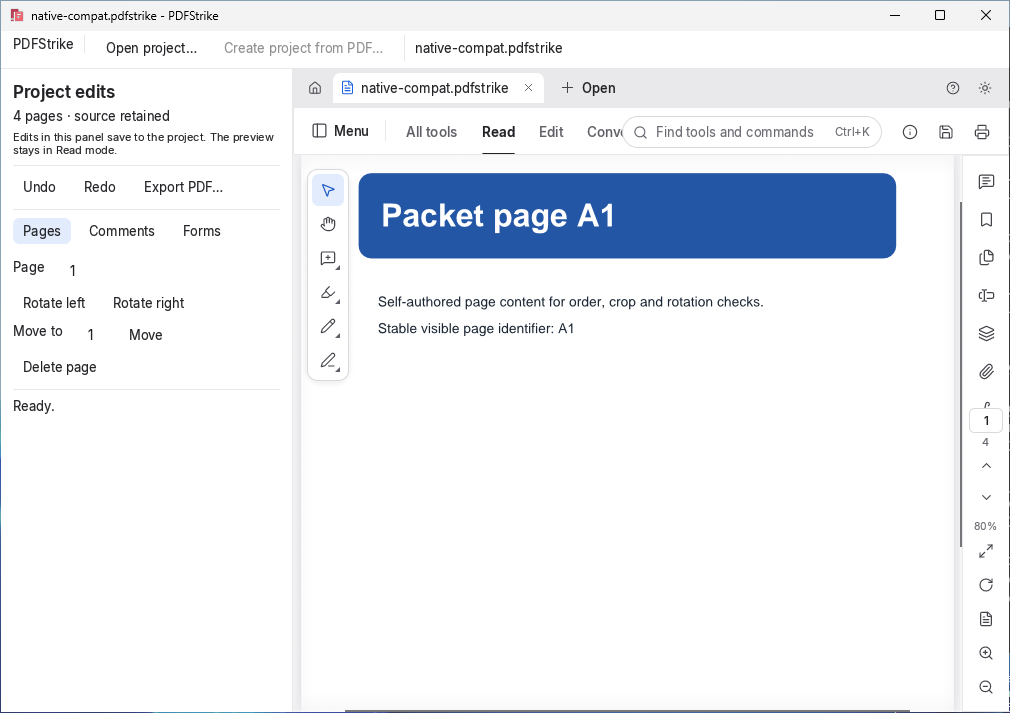
A four-page sample project with page controls and review tools.
View full image (opens in a new tab)PDFStrike is a Windows alpha available as source, without a packaged installer. Review tools and form editing cover a defined subset; broad PDF compatibility, signed documents, accessibility, and release readiness remain under evaluation.

Edit spreadsheet cells, formulas and tables, then save XLSX workbooks or export CSV data.
Explore GridStrike
Create and revise structured documents with text, images and page layout in a Windows-first native editor.
Explore WordStrike
Build editable presentation decks with text, images and speaker notes in a native desktop editor.
Explore SlideStrike