Give the library some order
Import images into a persistent catalog and review them through a loupe and filmstrip as you narrow down a selection.
 ProWebDevSolutionsDesign & development
Photography
From the first selection to the developed image.
LightStrike brings a photo library, culling workspace, and image development into one desktop project. Import photographs, move through them in a loupe and filmstrip, and keep adjustments separate from the original files.
Source preview
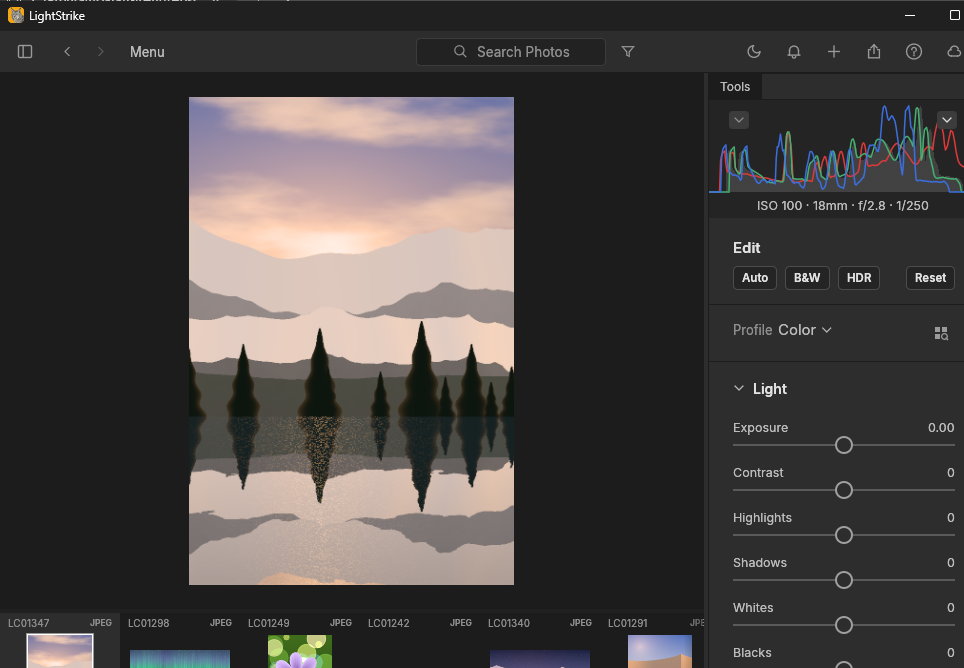
A sample image in the development workspace, with its filmstrip and adjustment controls.
View full image (opens in a new tab)LightStrike is an early alpha available as source, with no packaged installer. Camera RAW coverage, color accuracy, lens profiles, large libraries, and accessibility still need broader testing.

Lay out multi-page documents with text and artwork, then export publications to PDF or exchange IDML files.
Explore DesignStrike
Design interface screens and reusable components on a native canvas.
Explore FigStrike
Draw paths, shapes and type in layers, save editable vector documents, and export SVG artwork.
Explore VectorStrike