Think across pages
Build with pages and spreads, parent pages and bleeds. See a publication as a connected document rather than a collection of flat images.
 ProWebDevSolutionsDesign & development
Page layout and publishing
Make every page part of the story.
Arrange text and artwork across a publication in a native editor. Keep the document editable as it grows, then export pages or a PDF and exchange layouts through IDML.
Source preview
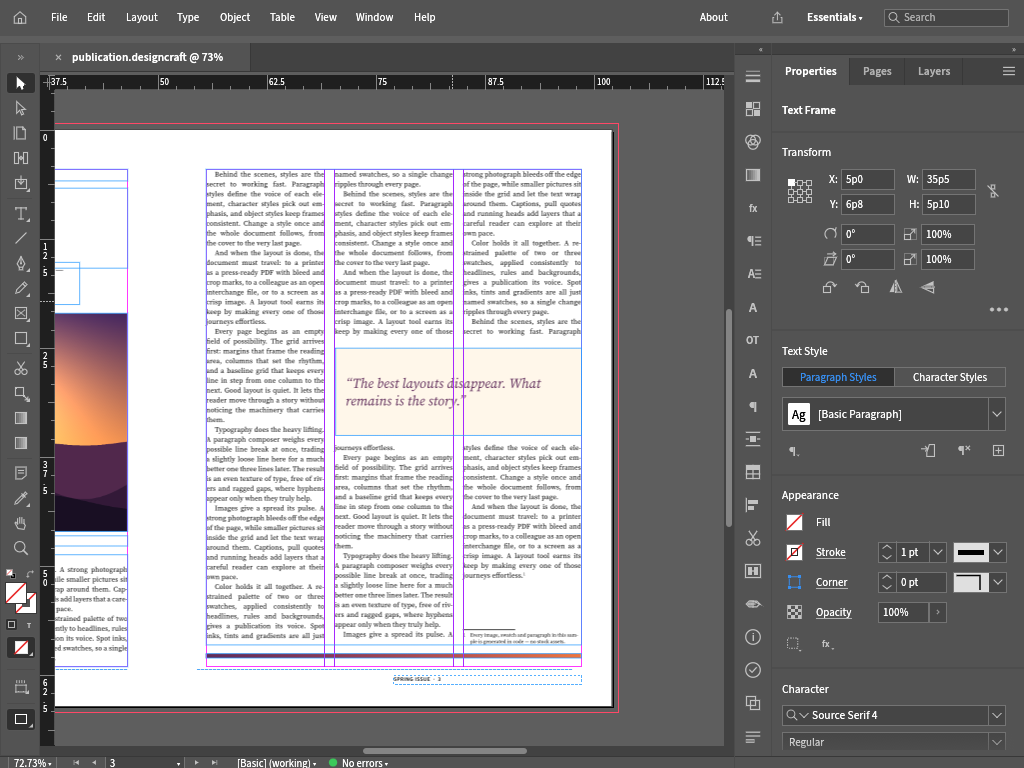
Publication layout with a sample document.
View full image (opens in a new tab)Early alpha, available as source builds. No installer or production release is offered. Publication export and interchange have been exercised on synthetic documents.

Design interface screens and reusable components on a native canvas.
Explore FigStrike
Draw paths, shapes and type in layers, save editable vector documents, and export SVG artwork.
Explore VectorStrike
Edit raster images in layers, keep an editable master document, and export PNG artwork.
Explore PhotoStrike